Push-to-talk over cellular › Dispatcher console
PoC dispatcher console
Fleet communication made easy,
everything in one place
The Kirisun PoC Dispatcher is a market leading solution delivering what dispatchers only dream of. Every channel, every radio, multiple communication forms made easy.
What it is
The difference between a radio fleet and a managed one
Handhelds alone give you conversation. A dispatcher gives you oversight — someone who can see who is on, who is talking, and who has not answered.
The console runs on an ordinary computer and connects to the same network your radios are already on. From it, one operator can call any individual or any group, drop into a conversation, send a message to a whole talkgroup at once, and see at a glance which devices are online and which are not.
For a lot of operations that role already exists informally — someone at a desk with a handheld on the bench, trying to keep track. This is the same job done properly, with the whole fleet visible instead of whichever channel the handheld happens to be on.
- One operator, every talkgroup. Monitor several groups at once rather than switching channels.
- See who is actually on. Devices show as online, in a call, or unavailable.
- Call anyone. Individual, group or an ad-hoc group put together on the spot.
- Runs on a normal PC. No console hardware, no dedicated radio at the desk.
- Uses the network you have. It talks to the same PoC service your radios run on.
- Scales with the fleet. Ten radios or several hundred, the view is the same.
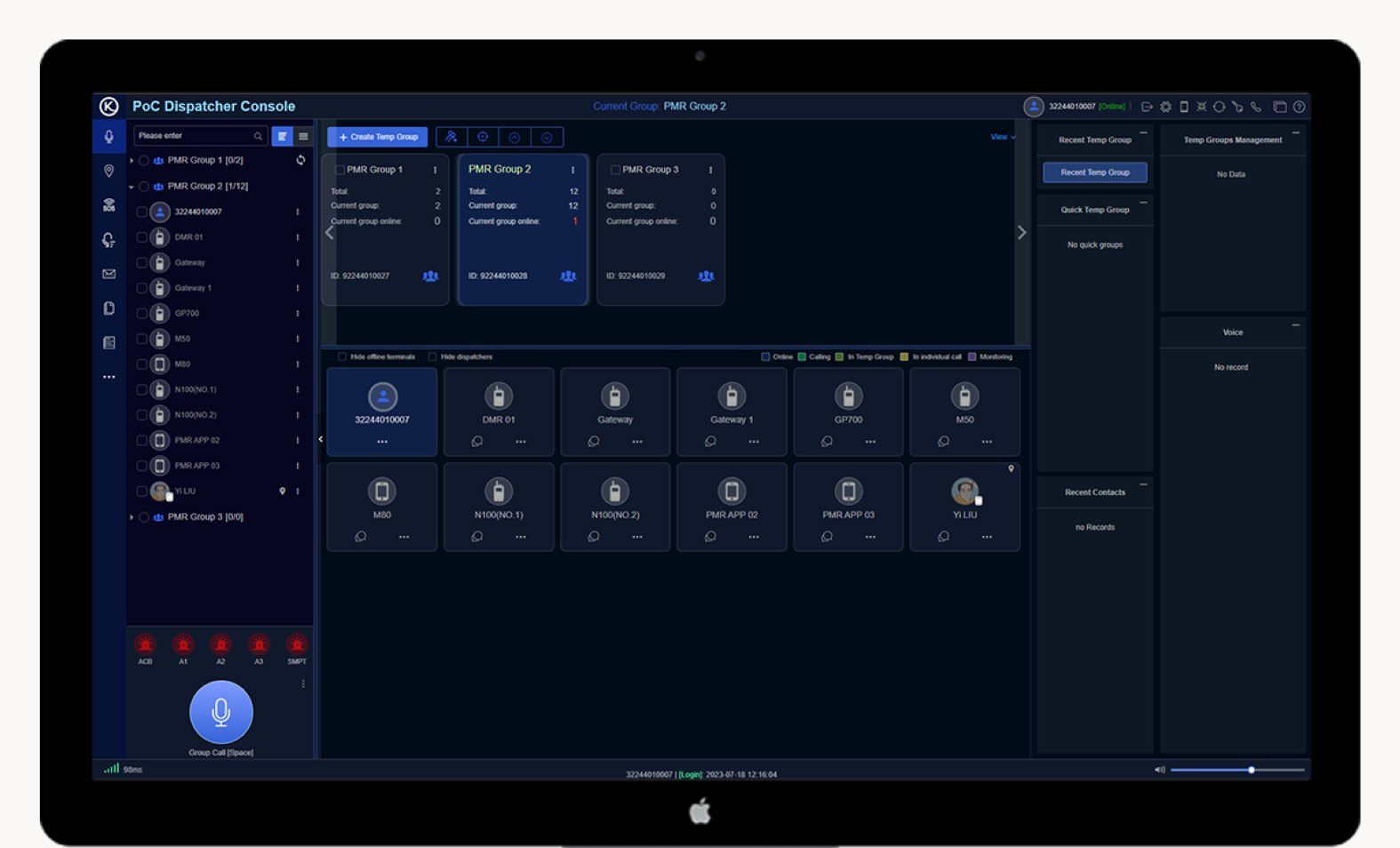
Several groups on screen at once
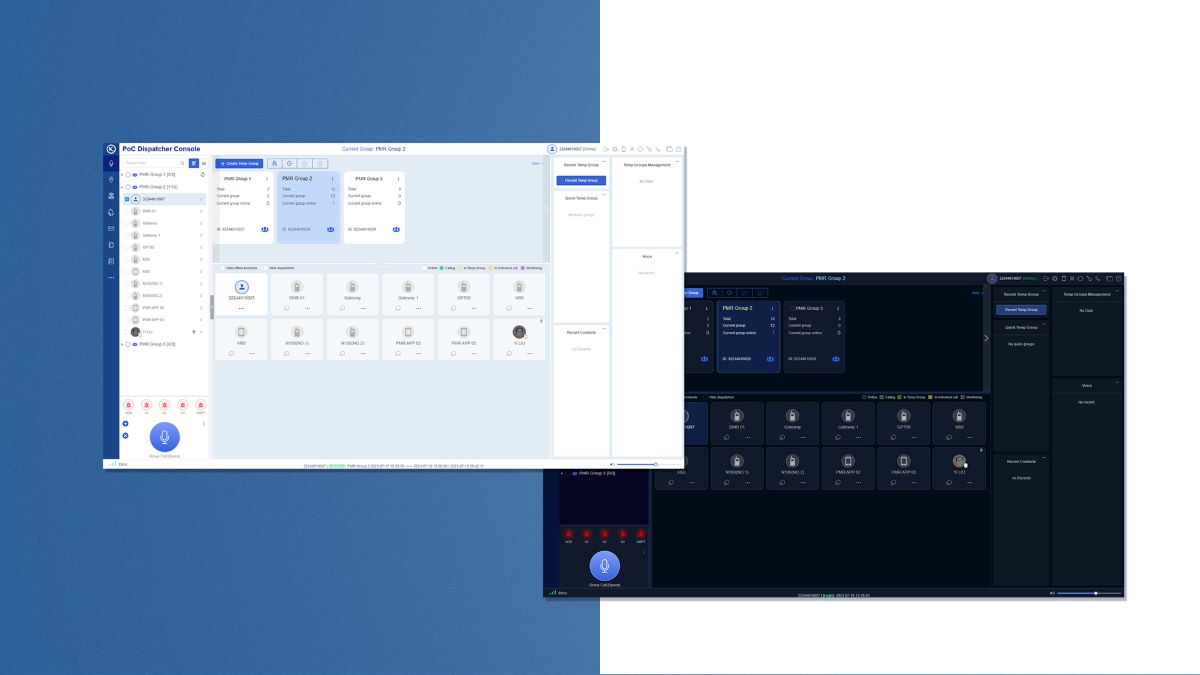
Each talkgroup gets its own card showing how many members it has and how many are online right now, so a dispatcher can watch the whole operation rather than one channel at a time.
Below them, every connected device appears as a tile with its current state. When someone keys up, you can see who it is without asking.
Not everything needs to be said out loud
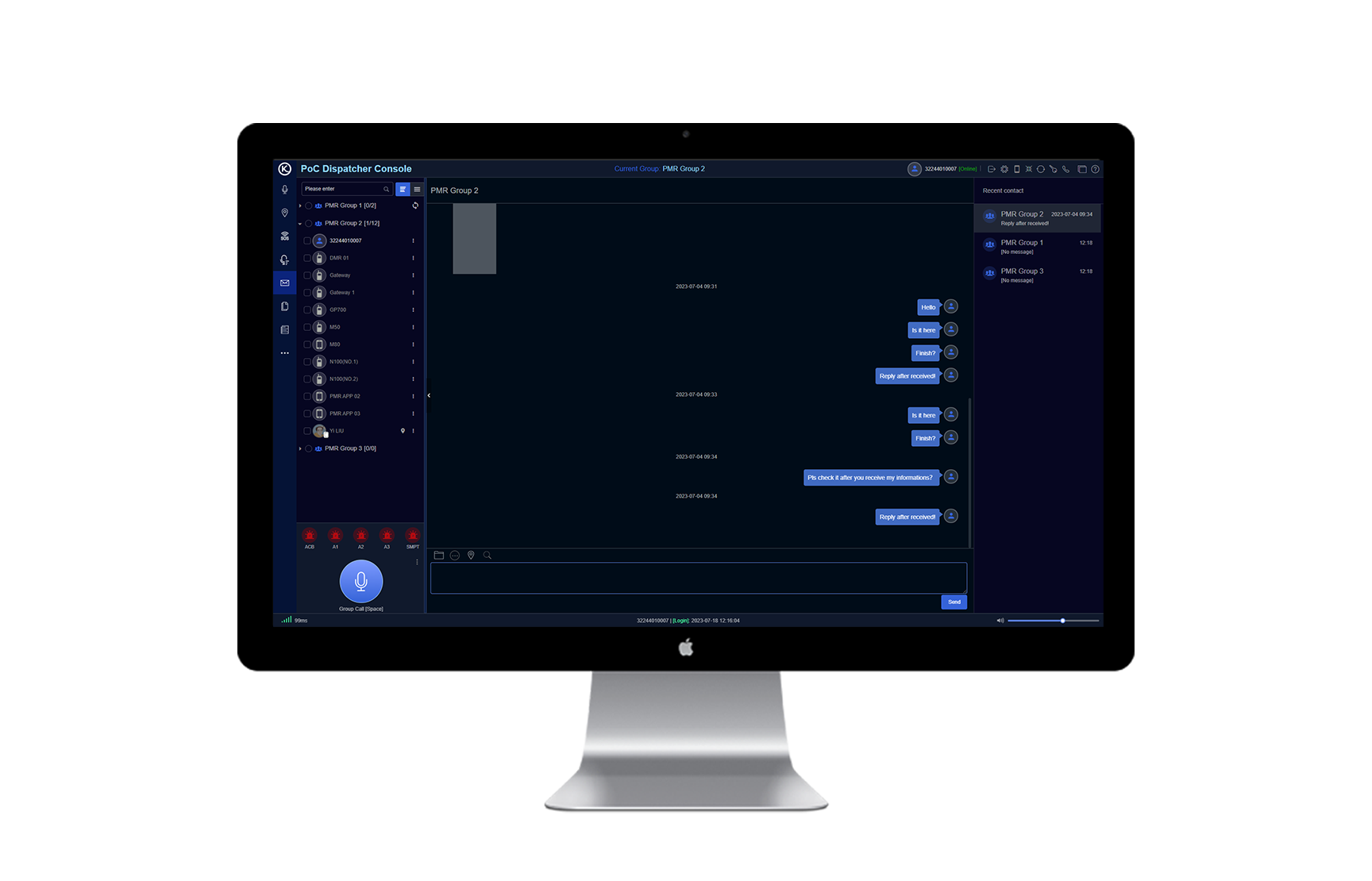
Text a whole group or one person, with every message timestamped and kept in the thread. Useful for the things nobody should have to repeat over the air — an address, a job number, a part code.
Voice messages sit in the same thread and can be played back, so a missed call is not lost. The recent contacts panel keeps whoever you have been dealing with one click away.
Light or dark, because a control room is not an office
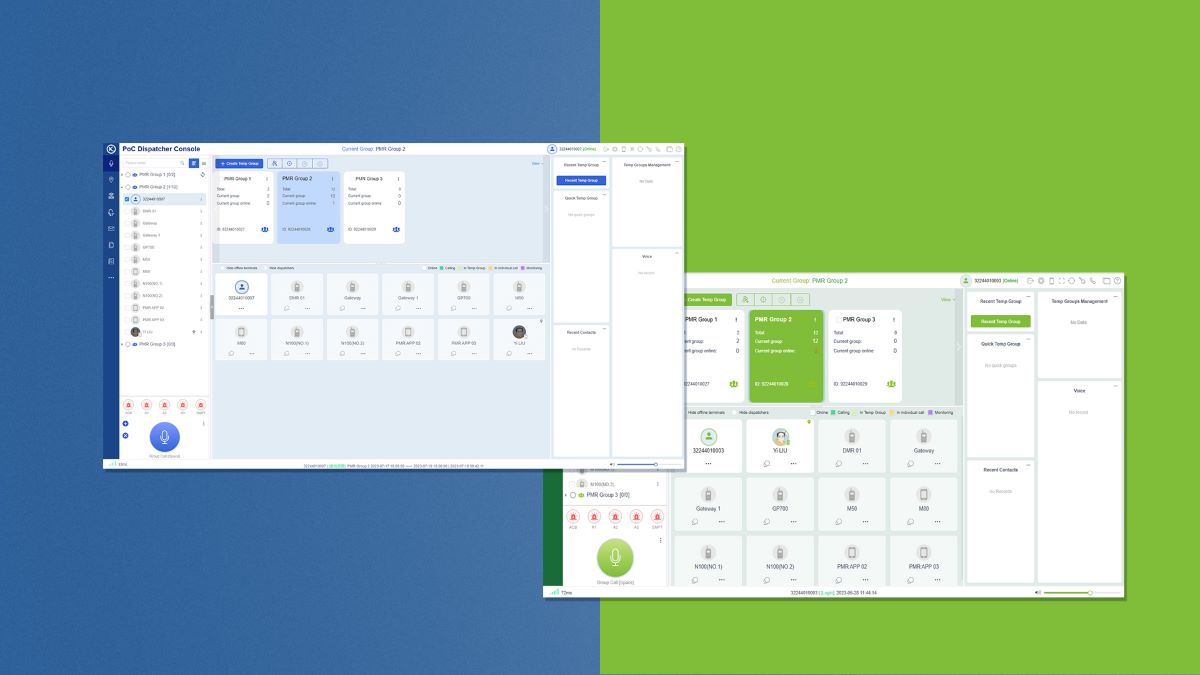
The console ships with both themes. Dark suits a dim control room or a night shift where a white screen is the brightest thing in the room; light suits a normal desk under office lighting.
It is a small thing that turns out to matter when someone is looking at the same screen for eight hours.
In a browser, or installed on the machine
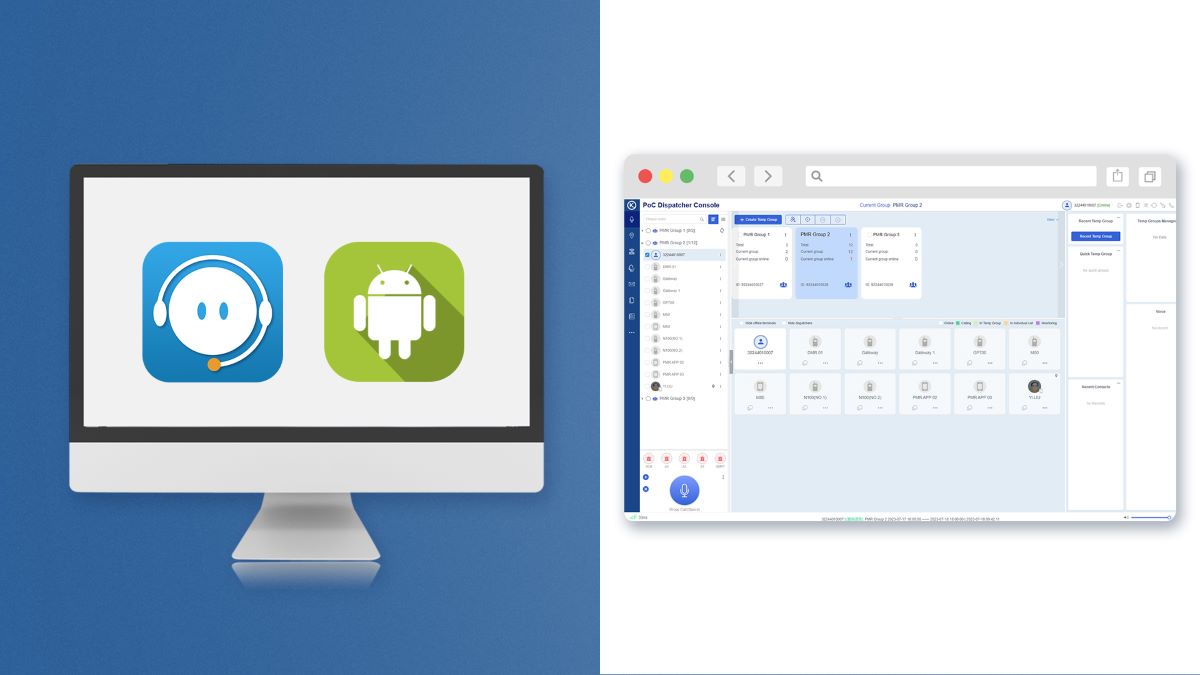
Run it as a web application in a browser, or install it as a desktop client. Same console either way, so the choice comes down to how your IT is set up rather than what the software insists on.
Browser suits a shared machine or someone who dispatches occasionally from wherever they are sitting. An installed client suits a dedicated desk that is doing this all day.
Beyond the basics
What else is in there
How much of this you turn on depends on what you are actually trying to manage. Most operations use a fraction of it, and that is fine.
Live location
Where every device is right now, on one map. Useful the moment your people are spread across more than one site.
SOS and emergency
An emergency call from a device lands in front of the dispatcher rather than competing with normal traffic.
Video
Live video from devices that support it, alongside the voice traffic rather than in a separate system.
Job tickets
Send a task to a person or a group and track whether it was picked up, instead of relying on someone remembering.
Patrol management
Checkpoints, routes and plans, with reporting on what was actually walked. Relevant for security and site inspection work.
Voice recordings
Access who said what, and when. The conversation is there to go back to rather than relying on what somebody remembers hearing.
GPS track back
See where vehicles or radios have been, and when. Playback the route rather than asking somebody to account for their day.
DMR interconnect
Bridging between a PoC fleet and an existing DMR network, so a change of system does not have to happen all at once.
Not every capability suits every licence tier or every device in a fleet. Tell us what you want it to do and we will confirm exactly what your setup supports before you commit to anything.
When it earns its keep
You probably already have a dispatcher. They just do not have a console.
In most operations there is one person who ends up being the hub — the one everybody calls to find out where something is or who is free.
That job is being done on a handheld, a mobile phone and a whiteboard. It works until the fleet gets big enough, or spread out enough, that no single channel gives them the picture any more.
The console is worth adding at the point where somebody is spending real time co-ordinating rather than doing their own job. Below that, handhelds on their own are genuinely fine, and we will say so.
- Transport and logistics. Drivers across a region, one person keeping track of who is where.
- Security. Multiple sites, guards on patrol, and an operator who needs the whole picture.
- Events. Temporary groups thrown together for a weekend, with one control point.
- Waste and civil. Crews on different runs, dispatched and redirected through the day.
- Manufacturing and sites. Departments on separate talkgroups, one operator across all of them.
- Anywhere shifts hand over. A written record of messages beats a verbal handover.
Getting it running
We set it up with you, not for you
A dispatcher console is only as good as the talkgroup structure behind it, and that is a conversation about how your operation actually runs.
We work out the groups with you first — who needs to hear whom, what should be separate, and what should never be shared. Then we configure the console, add the devices, and sit with whoever is going to use it until they are comfortable.
If you are already running Kirisun PoC radios with us, adding the console is a configuration change rather than a project.
- Talkgroups designed first. The structure is the part that decides whether it works.
- Devices added and named. So the tiles on screen mean something to the operator.
- Training for the people on it. Not a PDF — time with the person who will use it daily.
- Changes are easy. Groups and names can be reworked as the operation changes.
- Supported like everything else. Same team, same phone number.
- Demo before you commit. We will show you the real console with your scenario in it.
Related
The rest of the PoC picture
See it with your own fleet in it
A demo is more useful than a feature list. Tell us roughly how your operation is structured and we will show you the console set up the way yours would be.
sales@signals.co.nz · Christchurch & Auckland · nationwide service