
Lone worker
Lone worker safety
keeping at-risk staff connected
A panic button on its own is not a lone worker system. Keeping at-risk staff connected takes the right device for the role, coverage that carries the alarm out of wherever they are, automatic triggers for when the worker cannot press anything, a console where it lands, and the vehicle connectivity and tracking sitting behind all of it. We supply every one of those parts, configure them to work together, install them with our own technicians and support them afterwards.
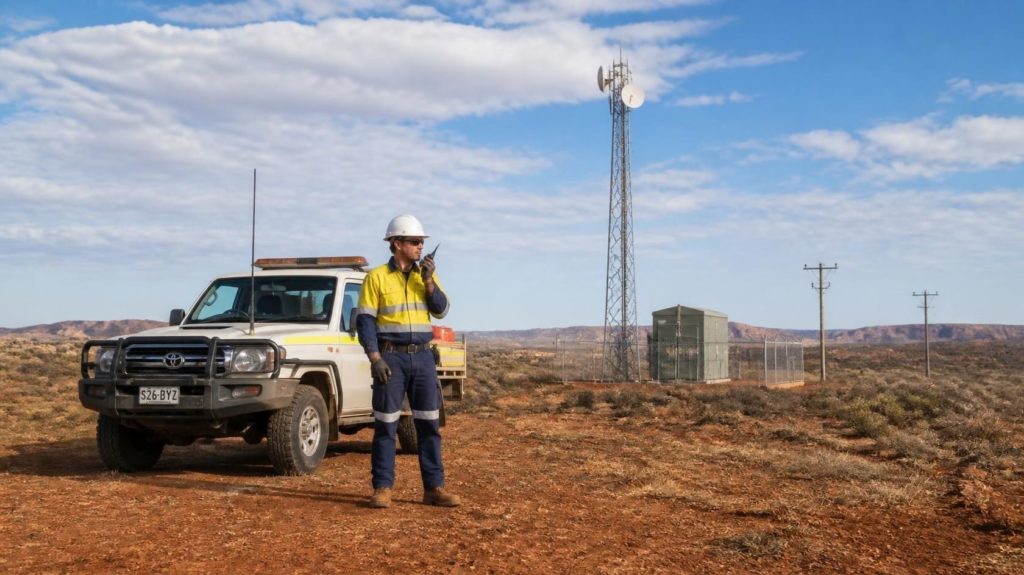
Most lone workers are not in a remote wilderness. They are alone in a plant room, on a night shift, or on a customer's site an hour from the nearest colleague — close enough that everyone assumes a phone will do, far enough that it often will not.
technicians Christchurch and Auckland, on site nationwide. No part of the install or the support is subcontracted.
Health and safety
Where lone worker safety sits in your health and safety system
Under the Health and Safety at Work Act 2015, a PCBU has to eliminate risks to health and safety so far as is reasonably practicable and, where elimination is not reasonably practicable, minimise them. WorkSafe identifies lone and isolated workers as carrying elevated risk — both of violence and confrontation, and of an ordinary injury becoming a serious one because there is nobody there to help.
Communication is not the whole answer to that, and we would rather say so on the page than in the meeting. A radio does not stop the fall. What it changes is the second half of the event: how long the person is alone afterwards, whether anyone knows, and whether help arrives at the right place rather than the last place somebody remembers them mentioning.
That is why a system like this is normally a minimisation control sitting underneath your procedures, not a replacement for them. It belongs in the risk assessment alongside the way the work is scheduled, who is sent where, and what those people are asked to do on their own in the first place.
What a communications control actually changes
- An alarm the worker does not have to raise. Man-down and check-in timers cover the case where the person is unconscious, trapped or being threatened.
- A location attached to it. Responders go to where the worker is, not to where the job sheet said they would be.
- More than one person alerted at once. The nearest useful help is often a colleague rather than a manager.
- A record afterwards. Recorded voice, GPS history and, where fitted, video, so a review works from evidence instead of recollection.
- Coverage that a phone does not have. Cellular push-to-talk through a vehicle antenna, a second carrier network, or licensed radio where there is no cellular at all.
How it works
Six controls, one device and one console
The device we recommend for this role is the Kirisun GP700, paired with our web dispatcher. Between them they do all six, and each one is configured per worker and per role rather than set once for the whole fleet.
SOS alert
A dedicated button on the device, not a menu. One press raises an alarm to everyone it is configured to reach, with the worker's location attached and a voice path opened so somebody can talk to them straight away.
Worker-initiatedMan-down and no-motion
The device watches its own orientation and movement. A fall, a prolonged tilt or a period with no motion at all raises the alarm by itself — which is the entire point, because the incidents that most need reporting are the ones where the worker cannot report them.
AutomaticCheck-in timer
The worker is prompted to acknowledge at an interval you set. No acknowledgement inside the grace period and the alarm escalates. This is the classic lone worker control and the one most often missing from fleets that already carry radios.
ScheduledLive location
The dispatcher shows where each worker is now, not where they last checked in from. Satellite positioning on the device itself, reported continuously to the console, with a full GPS history to go back over afterwards.
ContinuousGeo-fencing
An alert when somebody enters or leaves an area you have drawn. Useful for a site nobody is supposed to attend alone, for a hazardous zone, and just as often for confirming that a worker actually left at the end of a job.
AutomaticBody-worn camera
For roles where the risk is confrontation rather than injury, a recorded — and on the right model, live-streamed — video record. It changes behaviour at the time and turns a disputed incident afterwards into an evidenced one.
Optional, role-dependentEscalation
An alarm nobody receives is not a control
This is the part most lone worker products skate over. When the button goes, where does it land and who is going to act on it? You decide that, we configure it, and it can be more than one of these at the same time.
Your dispatch team
The alarm opens in the web dispatcher with the worker's live location on the map, and the operator can talk to them immediately without waiting for them to answer anything.
A nominated manager
Straight to the person actually accountable for that crew, on their own device, wherever they happen to be. Useful for organisations with no staffed control room.
The whole team
Everyone on the talkgroup hears it at once. Frequently the fastest real response available, because the nearest useful help is usually a colleague ten minutes away rather than a manager in another city.
A monitoring provider
If you already use a third-party monitoring service, or want to, alarms can be routed there instead of or alongside your own people. That arrangement sits between you and them.
To be plain about it: Signals does not operate a monitoring centre and does not watch your alarms. We design, supply, configure, install and support the system, and we test the alarm path end to end before it goes live. The response itself belongs to your people or to your monitoring provider. Any supplier who implies otherwise is worth asking exactly who is on shift at three in the morning.
Two more layers
The alarm path is only as good as the signal under it
Every control on this page assumes the device can reach the network. For anyone who works in or near a vehicle, two of our other services make that assumption a great deal safer to hold — and most lone worker fleets end up with both.
Vehicle Wi-Fi, for coverage and a second network
A PoC device runs on the cellular network, so the alarm is only as reliable as the signal where the worker is standing. A router fitted to the vehicle changes that for anyone working in or around one: the handheld connects through a high-gain antenna on the outside of the vehicle rather than its own internal one, which at the fringe is often the difference between one bar and a connection that actually works.
The dual-SIM option goes further. With two carriers in the same unit the vehicle is not tied to one network's coverage map, so where Spark is weak One NZ frequently is not. For a lone worker that means two independent paths out for the same alarm, which is a materially different proposition from one.
Vehicle Wi-Fi →GPS and tracking, for a second location
The handheld reports where the worker is. The vehicle reports where the vehicle is, on its own connection and its own power supply. If a device is flat, damaged, left in the cab or simply out of coverage, the vehicle's position is still a starting point for whoever goes looking — and that redundancy costs very little once the tracking is there anyway.
It also turns silence into information. A vehicle that has not moved for three hours on a job scoped at one is worth a phone call, whether or not anyone has pressed a button. Both run on our Waka Data platform, so it is one place to look rather than two systems to reconcile.
GPS and fleet tracking →The kit
What we actually fit
One recommended device, one console, and the supporting equipment that makes them work in the environment your people are in.
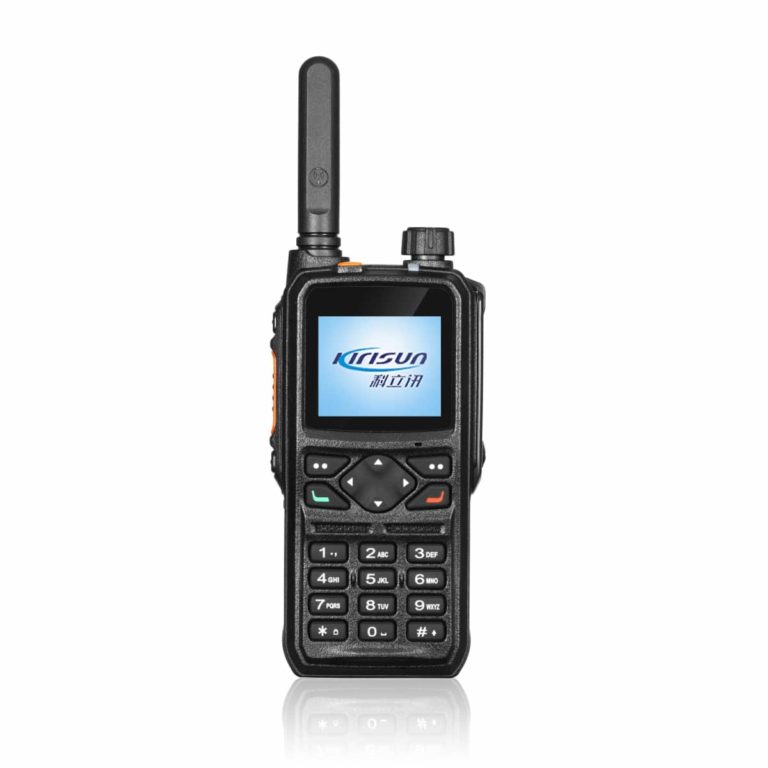
Kirisun GP700
The handheld we recommend for lone worker roles. Dedicated SOS key, man-down, lone worker timer and geo-fencing, with GPS on board. It works over the cellular network rather than a repeater you have to build and licence, so coverage is national from day one.
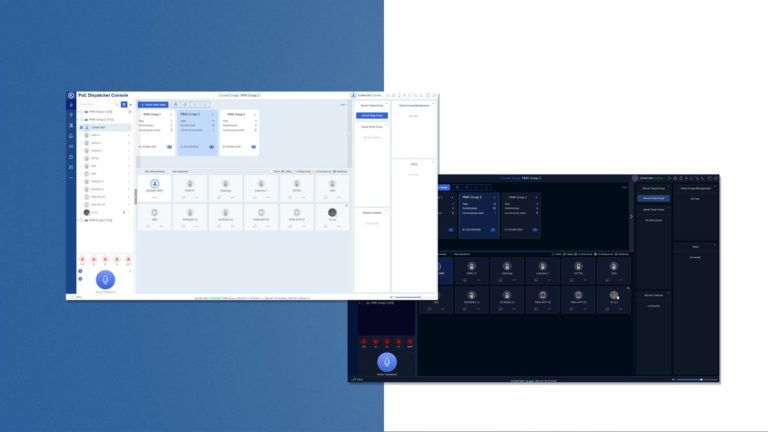
The web dispatcher
Where the alarms land. Live map, talkgroups, voice recording and GPS track history in a browser, with no software to install. We rate it as the best console of its kind on the market and it is a large part of why fleets move to us.
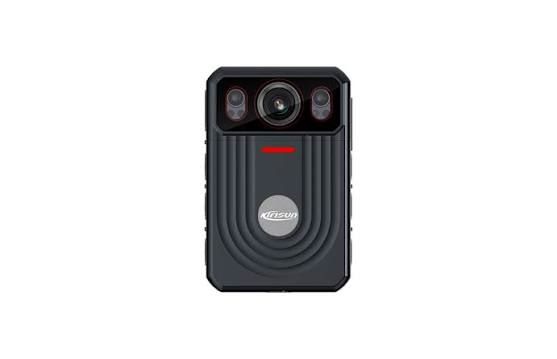
Body-worn cameras
Kirisun DSJ-M9, DSJ-F9S and the D5 for roles where a video record matters as much as the alarm. The D5 records to the device and uploads automatically, with time, position and user overlaid on the footage.

Everything else
Vehicle installation and antennas, in-vehicle routers, GPS tracking, hearing-protection headsets with an external PTT button, chest harnesses, spare batteries and chargers — plus short-term hire when a project needs to be covered before a permanent fleet is signed off.
Where a site has no cellular coverage at all, the answer is licensed radio rather than PoC, and man-down is available on parts of the DMR range too. We will tell you which applies to your sites before you commit to either.
How it starts
Scoped on the actual work, not on a feature list
Every lone worker system we have seen fail has failed for the same two reasons: false alarms nobody trusted any more, or an alarm path nobody had tested.
Both are configuration problems rather than equipment problems. Man-down sensitivity that suits a technician kneeling under a bench is wrong for a driver, and a check-in interval that makes sense on a two-hour job is an irritation on an eight-hour one. Get those wrong and people switch the device off, which is worse than not having it.
So we work through it role by role before quoting anything, and we test the escalation path with the people who are actually going to receive it.
- Work through the roles. Who is alone, when, where, and what would realistically go wrong for each of them.
- Check the coverage. PoC depends on the cellular network. Where that does not reach, we say so and design licensed radio instead.
- Configure per role. Check-in intervals, man-down sensitivity and escalation paths set for each group rather than once for everybody.
- Trial it. We hold a large demo and rental fleet, so the crews who will carry the device can carry it before you buy anything.
- Install and test end to end. Our own technicians, with the alarm path proven all the way through to whoever is meant to answer it.
- Keep it running. Maintenance, live network monitoring and in-house repairs with quick turnarounds, nationwide.
Common questions
Before you get in touch
Does this make us compliant?
No, and be wary of anyone who says their product does. Duties under the Health and Safety at Work Act 2015 sit with you as the PCBU, and they are discharged through how the work is designed, scheduled and supervised as much as through equipment. What this gives you is a documented, testable control that a risk assessment can rely on, and a record of it working. Whether that is enough for your situation is a question for your health and safety adviser, not for us.
Who monitors the alarms?
You do, or a monitoring provider you engage does. Signals does not run a monitoring centre. Alarms can be routed to your dispatch console, to a nominated manager, to the whole team, to a third-party monitoring service, or to several of those at once. We will help you decide which, configure it and test it — but somebody on your side has to be rostered to answer it, and that is the part worth thinking hardest about.
Can we just use an app on staff phones?
Sometimes, and we sell one. It is the cheapest way in and it suits roles where the risk is modest. The trade-offs are real though: a phone is locked in a pocket, has no dedicated button to find by feel, competes with every other app for battery, is not rugged, and rarely has usable man-down. For anyone whose job genuinely puts them at risk alone, a purpose-built device is a different proposition. We will tell you honestly which side of that line a role sits on.
How reliable is man-down, really?
It is motion and orientation sensing, so it is a trade-off between catching real events and generating false ones. Tuned too sensitively it cries wolf and people stop trusting it; tuned too loosely it misses things. We set it per role and adjust it after a few weeks in the field, because the right setting is the one that suits how those people actually move, and that is not knowable from a datasheet.
What happens where there is no cellular coverage?
PoC will not work, and no amount of specification changes that. For sites genuinely outside the network — forestry blocks, back-country, some quarries — the answer is licensed radio with an antenna designed for the terrain, which we also design, licence, install and maintain. Plenty of organisations end up running both: PoC for the people who move around the country and licensed radio on the sites that have no network.
Can we trial it before committing?
Usually yes. We hold a large demo and rental fleet of handhelds, so getting real devices into your crews' hands for a period is straightforward. A trial does need requirements gathering and configuration first — a lone worker system set up badly trials badly, and that helps nobody.
What does it cost?
Hardware per device plus a monthly per-device service fee, and installation where vehicles are involved. We quote it rather than publish it, because the device count, the configuration work and whether you already have a dispatch console all move the number. Ask and you will get a figure, not a discovery process.
Tell us who works alone
Which roles, when they are on their own, and where. We will tell you what we would fit, what it would genuinely change, and what it costs. And if a change to how the work is organised would do more for those people than our equipment would, we will tell you that too.
sales@signals.co.nz · Christchurch & Auckland · on site nationwide