
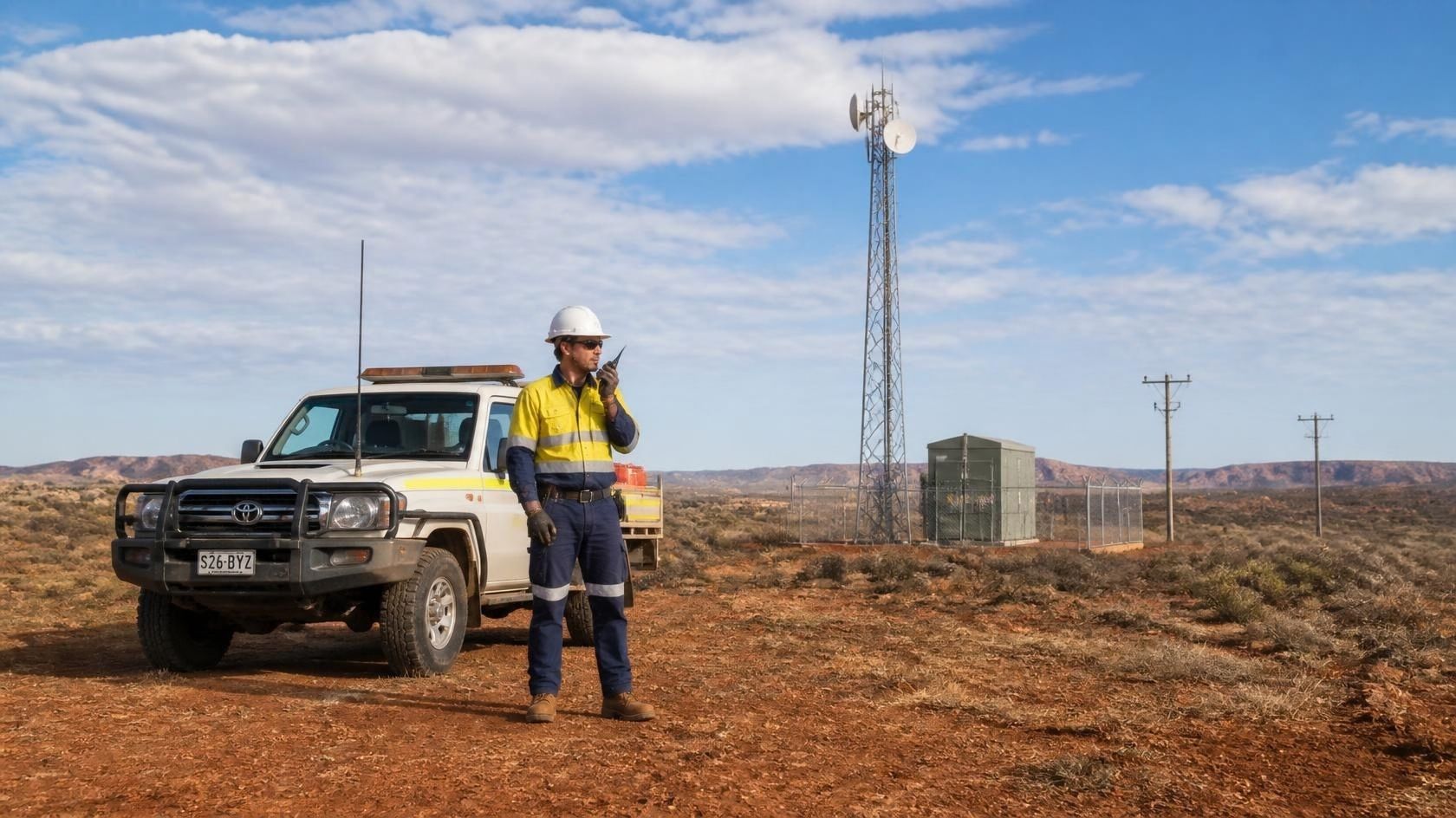
A line mechanic at a rural substation. A security officer on a night patrol. A forestry worker at the end of a skid road. A driver finishing a waste run before dawn. Every day, thousands of New Zealanders work where nobody can see or hear them — and when something goes wrong, the question that decides the outcome is simple: how long before anyone knows?
WorkSafe’s own advice on remote and isolated work sums it up: “Think safe. Stay connected. Never assume help is nearby.” This guide explains what lone worker safety means under New Zealand law, where the real risks sit, and what a working lone worker safety system looks like in practice.
What is a lone worker?
A lone worker is anyone doing work without direct assistance from others — because of where they are, when they work, or the nature of the job. They don’t have to be remote. Someone alone in a warehouse after hours is as isolated as someone on a hilltop repeater site if nobody would notice they’d stopped moving.
Common lone worker roles in New Zealand include:
- Utility, electrical and telecommunications field crews
- Forestry, quarry and agricultural workers
- Security officers and patrol staff
- Transport, delivery and waste and recycling drivers
- Council, parks and roading staff
- Community care, social and health workers visiting homes
- Maintenance and cleaning staff working after hours
- Retail and hospitality staff on late or early shifts
Your lone worker duties under the Health and Safety at Work Act 2015
New Zealand has no separate “lone worker law”. Instead, working alone is covered by the primary duty of care in the Health and Safety at Work Act 2015 (HSWA). As a PCBU (person conducting a business or undertaking), you must ensure, so far as is reasonably practicable, the health and safety of your workers — and that includes those working alone.
In practice, WorkSafe expects you to:
- Eliminate the risk where you reasonably can — for example, by sending two people, or rescheduling the task to when others are on site.
- Minimise the risk where it can’t be eliminated, using controls proportionate to the risk.
- Involve your workers in identifying hazards and designing controls. They know the sites, the dead spots and the people.
- Train people on the key risks and on what to do in an emergency.
- Have emergency communication in place, so a worker can raise an alarm and someone will respond.
It’s worth being clear about one thing: a lone worker device is a minimisation control, not an elimination control. It doesn’t stop the fall, the confrontation or the medical event. What it does is shrink the gap between the incident and help arriving — which is where most of the harm in a lone worker incident happens.
The real lone worker risk: time to help
Most workplace injuries are survivable when help comes quickly. Alone, the same injury becomes far more serious because of the delay. WorkSafe notes that delays in receiving assistance can significantly worsen injuries, emergencies and violent incidents.
That delay usually comes from one of four gaps:
- Nobody knows something has happened. The worker is unconscious, trapped or unable to reach a phone.
- Nobody knows where they are. “Somewhere on the Rakaia block” isn’t a location an ambulance can use.
- The alarm has nowhere to go. A message is sent, but it lands on a phone that’s switched off or unattended.
- There’s no signal. Much of rural New Zealand has no radio network coverage, patchy or no cellular coverage, so the alarm never leaves the device.
A good lone worker safety system is designed to close all four gaps — not just the first.
Six controls that make up a lone worker safety system
Modern lone worker devices combine several safety functions in a single rugged handset. Here’s what each one does and where it matters most.
| Control | What it does | Best for |
|---|---|---|
| SOS alert | A dedicated, glove-friendly button raises an immediate alarm, sends the worker’s location and opens a voice path to responders. | Every lone worker |
| Man-down detection | The device monitors its own orientation and movement. A fall, a prolonged tilt or a period with no motion triggers an automatic alarm — even if the worker can’t press anything. | Falls, crush risk, medical events, remote sites |
| Check-in timer | The worker is prompted to confirm they’re OK at set intervals. Miss a check-in and the alarm escalates. | Long solo tasks, confined spaces, night shifts |
| Live location | Continuous GPS position reported to your console, with a full history of where the worker has been. | Mobile and multi-site work |
| Geo-fencing | An alert when someone enters or leaves an area you’ve drawn on the map. | Hazardous zones, site boundaries, restricted areas |
| Body-worn camera | Optional recorded or live-streamed video for roles exposed to aggression or confrontation. | Security, enforcement, public-facing roles |
An alarm nobody receives is not a control
This is where many lone worker safety set-ups quietly fail. The device works, the button gets pressed — and the alarm goes to one supervisor’s mobile, which is on silent in a meeting.
Before you choose a device, decide who responds, and what happens if they don’t. Alarms can be routed to:
- Your own dispatch or control team, through a web-based monitoring console
- A nominated manager’s personal device
- The whole team at once, so the nearest colleague can respond
- A third-party 24/7 monitoring provider
Most organisations use a combination, with automatic escalation if the first responder doesn’t acknowledge. Whatever you choose, test the whole path end to end — from the button on the worker’s chest to a person picking up — before you rely on it.
Coverage: the alarm is only as good as the signal under it
New Zealand’s terrain is hard on radio signals. Valleys, bush, quarry pits and the inside of steel buildings all create dead spots. A lone worker device that relies on a single cellular network will leave gaps, so the coverage plan matters as much as the handset.
Options for closing coverage gaps include:
- Dual-SIM devices that can use two carriers, so one network’s dead spot isn’t automatically a dead spot for your worker.
- Vehicle Wi-Fi routers with high-gain antennas, which pull in a usable signal where a handheld on its own can’t and extend it around the vehicle.
- Licensed land mobile radio for sites with no cellular coverage at all.
- Vehicle GPS tracking as a second layer of location, if the handheld is damaged, flat or left behind.
- Starlink routers for the most remote locations.
Lone worker apps vs dedicated lone worker devices
Smartphone lone worker apps are affordable and can suit lower-risk roles — staff who work alone in town, in good coverage, doing low-hazard tasks. For higher-risk work, dedicated devices usually win on a few practical points:
- Man-down reliability. A phone in a pocket, bag or ute cab can’t reliably detect a fall. A body-worn device can.
- One-button SOS. Raising an alarm on a locked touchscreen with gloves on, in the rain, is slower than it sounds.
- Ruggedness and battery. Dedicated devices are built for dust, water, drops and a full shift.
- Two-way voice. Push-to-talk lets responders talk to the worker instantly, without them having to answer a call.
The right answer depends on your risk assessment. Many organisations use both: apps for low-risk staff, dedicated devices for the roles where a fall or confrontation is a real possibility.
Lone worker safety checklist
Use these questions when reviewing your lone worker arrangements:
- Have we identified every role and task where someone works alone — including after-hours and part-time staff?
- Can any of that work be eliminated, rescheduled or done in pairs?
- Have workers been involved in the risk assessment?
- Can a worker raise an alarm if they’re injured, unconscious or unable to use their hands?
- Do we know where every lone worker is, in real time?
- Who receives the alarm — and what happens if they don’t respond?
- Have we mapped coverage at the actual sites, not just the coverage map?
- Have we tested the full alarm path end to end, and do we re-test it?
- Are workers trained on the device, and on what to do if it fails?
How Signals delivers lone worker safety
Signals NZ designs, supplies, configures, installs and supports complete lone worker safety systems for New Zealand businesses — the device, the monitoring console, the vehicle connectivity and the GPS layer, all from one team.
- Purpose-built devices. The Kirisun GP700 handheld combines SOS, man-down, check-in, GPS and push-to-talk in one rugged unit. Signals is the exclusive New Zealand distributor for Kirisun.
- A web-based dispatch console. See every worker on a map, receive and acknowledge alarms, and talk to staff straight from a browser.
- Proven at scale. Signals built New Zealand’s first push-to-talk over cellular (PoC) network in 2018 and now supports around 3,500 PoC devices in the field — the largest fleet of its kind in the country.
- Coverage solved, not assumed. Dual-SIM devices, vehicle Wi-Fi routers with high-gain antennas and licensed radio where cellular doesn’t reach. Signals manages 312 active RSM radio licences on behalf of customers.
- Our own people. Signals’ technicians — based in Christchurch and Auckland and working on site nationwide — are Signals staff, not subcontractors.
- Try before you commit. Every deployment is configured to the role, and escalation paths are tested end to end before go-live. Demo and rental fleets let your team trial the system on real jobs first.
Pricing is straightforward: hardware per device, a monthly per-device service fee, and installation where vehicles are involved.
Talk to us about lone worker safety. Call 0800 454 756, email sales@signals.co.nz, or visit our lone worker safety page to see how the system works.
Lone worker safety: common questions
Is there a specific lone worker law in New Zealand?
No. Lone working is covered by the general duties in the Health and Safety at Work Act 2015. PCBUs must eliminate risks to lone workers where reasonably practicable, and otherwise minimise them — which typically includes a reliable way to raise an alarm and get help.
What is a man-down alarm?
A man-down alarm is an automatic alert triggered when a device detects a fall, a prolonged tilt or no movement for a set period. It raises the alarm even if the worker is unconscious or can’t press a button.
Do lone worker devices work without cell coverage?
A cellular-only device won’t send an alarm with no signal. Coverage gaps can be closed with dual-SIM devices, vehicle-mounted routers with high-gain antennas, or licensed land mobile radio for sites with no cellular coverage at all.
How much does a lone worker safety system cost?
Costs depend on the number of workers, the devices chosen and whether vehicles need equipment installed. Most systems are priced as hardware per device plus a monthly per-device service fee.
Who should receive lone worker alarms?
Whoever can respond fastest and most reliably. That might be your own control room, a nominated manager, the whole team, or a 24/7 third-party monitoring provider — ideally with automatic escalation if the first person doesn’t acknowledge.
This article is general information and isn’t legal advice. Responsibility for health and safety compliance rests with each PCBU. For official guidance, see WorkSafe New Zealand.
Related guides: How to choose a PoC radio · Why PoC is replacing traditional radio